

StoryLab Digitization Station
Start preserving with the Digitization Station!
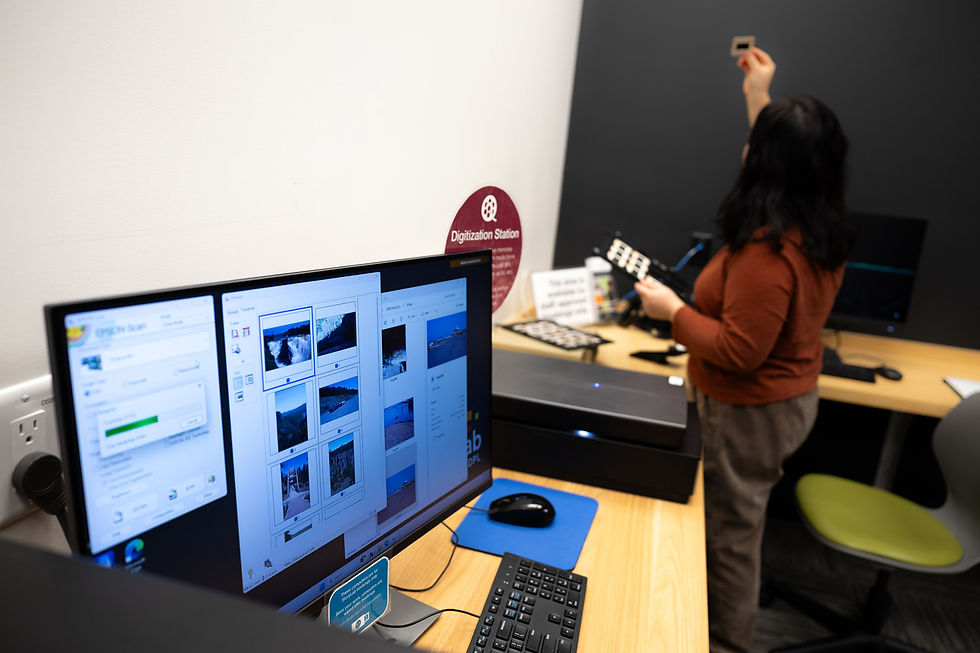
The Digitization Station is a Windows desktop computer equipped with software and equipment for digitizing materials such as photographs, negatives, CDs, and old scrapbooks.Book the computer for free at NVDPL to help preserve materials you treasure. StoryLab is a self-directed space where you can learn, create, and share.
What can I do at the Digitization Station?
📷
Photos
Scan printed photos and save digital copies for storage or sharing.
🎞️
Slides and Negatives
Digitize slides, negatives, and film materials using scanning equipment.
📼
VHS and Film
Convert older video formats and film reels into digital files.
🔊
Audio Tapes
Digitize cassette recordings and clean up audio using editing software.
What can I do at the Digitization Station?
Image Editing Software
Epson Perfection V800 Photo Scanner
+
6400 dpi photography scanner with 21 cm by 30 cm scanning area. Slide and film trays are available.
DVD/CD Drive
+
Use the station to access and convert materials from DVDs and CDs.
VCR
+
Available for VHS tape digitization projects.
Cassette Player
+
Available for audio cassette digitization projects.
Wolverine Film Scanner
+
Converts old 8mm and Super 8 movie reels into digital videos at 720p. Supports up to 9 inch reels.
FastFoto FF-680W Picture Scanner
+
Rapidly scans up to 36 photos up to 5 inches by 7 inches.
And More
+
Additional digitization tools may be available through StoryLab staff.
Video and Audio Editing Software
Adobe Audition
+
Advanced audio recording, mixing, and restoration software.
Booking the Digitization Station
Start by reviewing the StoryLab booking guidelines and requesting a time on the calendar. You can book up to 2 hours a day, and requests must be submitted 48 hours in advance. Tell staff what type of material you want to digitize, your experience level, and whether you need any special equipment. You will need to sign a StoryLab waiver and complete a short certification at your first booking. Bring a USB stick or hard drive to save your digitized files. Arrive on time and check in with the Creative Technology Advisor before beginning.
Learning Resources
Patrons of NVDPL who live in the District of North Vancouver have free access to hundreds of tutorials and courses for all expertise levels through LinkedIn Learning. Visit our LinkedIn Learning page to get started. Below are some examples of courses offered:
LinkedIn Learning
NVDPL patrons who live in the District of North Vancouver can use LinkedIn Learning to learn scanning, photo organization, image editing, video editing, and audio cleanup.
Digitizing and Photo Organization
Creating Art with Your Desktop Scanner
Scanning and Storing a Negative
Organizing and Archiving Digital Photos
Audio Editing
Helpful Resources
Use these videos and guides to plan, film, light, and improve your video project.
Scanning and Digitizing
Epson Perfection V800 Photo Scanner User Guide
Wolverine Film Scanner Manuals
Epson FastFoto FF-680W User Guide
Flatbed Scanner Tutorial: Epson Perfection V800 and Epson Scan
Editing After Digitizing
Pro Tools Reference Guide
HOURS
TUESDAY - THURSDAY
10:30am – 7:30pm
FRIDAY - SATURDAY
10:30am – 5:30pm
MONDAY
10:30am – 5:30pm
Hours are subject to staff availability
Location
Lynn Valley Library 1277 Lynn Valley Road
2nd Floor